
-
PRINTER BATTERY BT450PRINTER BATTERY BT450 View Details
- Regular price
- Rs.0.00
- Regular price
-
- Sale price
- Rs.0.00
- Unit price
- per
-
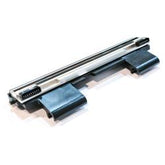
Speed-x Sp-700u Prinrer HeadSpeed-x Sp-700u Prinrer Head View Details
- Regular price
- Rs.0.00
- Regular price
-
- Sale price
- Rs.0.00
- Unit price
- per
-
Speed-X SP-250U 80mm Thermal Receipt Printer Usb Interface 300mm/S Printing SpeedSpeed-X SP-250U 80mm Thermal Receipt Printer Usb Interface 300mm/S Printing Speed View Details
- Regular price
- Rs.0.00
- Regular price
-
- Sale price
- Rs.0.00
- Unit price
- per




Thermal Printers in Pakistan at Wholesale Prices for Bulk Buyers
Running a shop with long queues at the counter? Our wholesale range of thermal printers in Pakistan helps retail dealers, pharmacies, and restaurants order in bulk quantities, with nationwide delivery and dedicated B2B support behind every dispatch.
Request a bulk quote!
Commercial Thermal Receipt Printers For Wholesale Retail Supply
Start with daily transaction volume, not price. A dealer supplying a busy supermarket needs different units than a small shop, and counting checkout counters per branch tells you how many printers to order at once.
Buyers often skip print-head durability and warranty questions until something fails. Compare specs early, then browse our POS and office solutions to match commercial-grade equipment with your budget, expected volume, and your future reorder cycle.
Should You Buy 58mm or 80mm Thermal Printers for Your Retail Shop?
Wider is not automatically better. A 58mm thermal printer, such as the SpeedX BT450M, handles kiosks, cafés and ticket counters happily, and lower paper consumption quietly saves money when you supply small outlets or stands.
The 80mm thermal printer, like the SpeedX SP-200U, earns its place where receipts carry tax information, logos, return policies and QR codes. Pharmacies and supermarkets settle here because the wider format prints faster, reads clearer.
80mm Receipt Printers With Auto Cutter for High-Volume Counters
Ask any cashier what slows a line and they mention tearing paper. An automatic cutter with partial cut and full cut modes removes jagged receipt edges, manual handling and the odd paper jams that follow.
Speed matters too. SpeedX SP-350U (USB) and SpeedX 400UL (USB+LAN) print at 300mm/s, suiting high-volume checkout lanes where transactions per minute decide daily revenue and customer patience during the busy festive rush period every year.
USB, LAN Or Bluetooth Billing Printers For Every Store Setup
A single counter is happy with USB, but a restaurant with multiple order terminals needs LAN and a central kitchen printer. Do not forget to add quality printer cables to your bulk orders before dispatch.
Bluetooth and Wi-Fi models cut cable clutter for tablets and mobile billing systems, while serial port and parallel port remain useful for older billing system installations that some stubborn customers still flatly refuse to replace.
Cash Drawer Ready POS Printers With RJ11 Port And ECS/POS Support
Many 80mm units carry an RJ11 port that sends an electronic signal so the cash drawer opens only after an authorised transaction, which keeps organised payment habits intact across every busy shift in your outlets.
Before ordering in quantity, confirm voltage, connection standards and ECS/POS support with your POS software integration partner. A mismatch means formatting errors and incomplete receipts, and returns eat into a dealer's thin margin very quickly.
Bluetooth Portable Thermal Printers For Delivery And Field Teams
Field reps punish hardware. That is why rubber protection and an anti-dropping build matter more than spec sheets for delivery services and mobile sales teams carrying SpeedX BT500M 58mm portable units on rough routes daily.
Check battery life, charging habits and USB OTG or Bluetooth pairing before buying. An Android devices workflow only works when the billing app recognises the printer model and its command standard, otherwise units become paperweights.
Barcode Label Printers For Courier, Warehouse And Inventory Use
A receipt printer struggles with adhesive labels, so couriers should choose a desktop thermal label printer paired with a barcode scanner for inventory control and clean tracking numbers across every parcel leaving the busy warehouse.
Direct thermal suits short-term shipping stickers, while thermal transfer with a resin ribbon or wax ribbon survives harsher handling. Choosing wrongly wastes rolls, so match label printers to how long your labels must realistically last.
Thermal Paper Rolls, Printheads And Cleaning To Keep Prints Sharp
Blank receipts usually mean the thermal paper roll sits in the wrong direction. Scratch the surface with a fingernail; the side that leaves a dark mark is the printable side, so turn the roll around.
For faded receipts, wipe the print head gently with a lint-free cotton swab and isopropyl alcohol after you turn off and unplug, never with fingers. Store spare rolls away from sunlight, moisture and high temperatures.
Wholesale Thermal Printer Supply In Lahore, Karachi, Islamabad
Dealers in Lahore, Karachi, Islamabad and Rawalpindi can register a B2B account to request a bulk quote, customized pricing and corporate solutions built around repeat orders and predictable monthly stock planning for growing retail chains.
Orders move through verified suppliers with fast delivery, setup guidance, technical support and after-sales service. Ask about warranty coverage per model, since terms differ between brands, and resellers stay confident when answers arrive in writing.
Ordering thermal printers in quantity is really about fit, not hype. Match width, connection and cutter to the counter, keep consumables ready, and lean on wholesale supply that answers questions honestly before every shipment leaves.
Ordering thermal printers in quantity is really about fit, not hype. Match width, connection and cutter to the counter, keep consumables ready, then message ComputerZone on WhatsApp or register a B2B account for a quote.
FAQS
Do Thermal Printers Require Ink Or Toner?
No. Direct thermal printers do not require ink cartridges, toner, or ribbons. They print by applying heat to specially coated thermal paper.
This reduces ongoing printing expenses and makes thermal printers easier to maintain than conventional ink-based printers.
What Is The Difference Between 58mm And 80mm Thermal Printers?
A 58mm printer produces narrower receipts and is suitable for small shops, kiosks, cafés, parking counters, and mobile billing setups.
An 80mm printer produces wider receipts and is commonly used in supermarkets, restaurants, pharmacies, and busy retail stores. It can display more detailed transaction information and usually offers faster printing.
Why Is My Thermal Printer Producing Blank Receipts?
Blank receipts normally occur when the thermal paper roll is inserted in the wrong direction.
Thermal paper has a heat-sensitive coating on only one side. Turn the paper roll around and test the printer again. You can identify the coated side by lightly scratching both sides with a fingernail. The side that produces a dark mark is the printable side.
What Does An Automatic Cutter Do?
An automatic cutter separates the receipt from the paper roll after printing.
It produces a clean edge, improves checkout speed, reduces manual tearing, and helps prevent paper from becoming stuck inside the printer.
Can A Thermal Printer Connect To A Cash Drawer?
Yes. Many 80mm POS thermal printers include an RJ11 cash-drawer port.
The printer sends a signal to the cash drawer after a receipt is printed, allowing the drawer to open automatically during an authorised transaction.
Can I Use A Thermal Printer With Android Devices?
Yes, provided the printer supports Bluetooth, Wi-Fi, or USB OTG connectivity and is compatible with the Android billing application.
The POS application must also support the printer model or its printing command standard.
Can Thermal Printers Print Logos And QR Codes?
Most modern POS thermal printers can print business logos, QR codes, barcodes, promotional messages, tax details, and return policies.
The exact layout depends on the billing software and printer configuration.
No FAQs available for this collection.